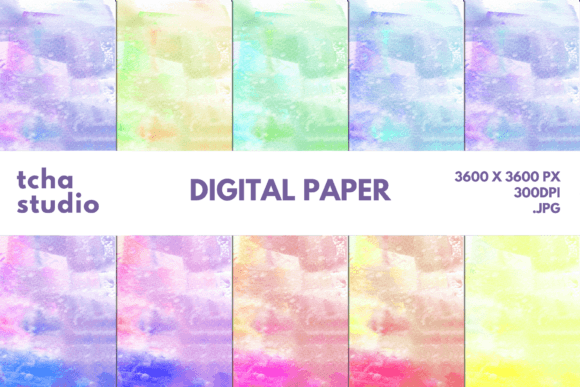
Watercolor Background Digital Papers 31: A Versatile Design Asset for Modern Creators
The Power of Watercolor in Digital Design
In the world of digital design, texture and aesthetics play a crucial role in making content stand out. Watercolor Background Digital Papers 31 bring the charm of traditional watercolor art into the digital realm, offering a unique blend of elegance and versatility. These digital papers are more than just visual elements; they serve as foundational layers that can elevate any project with a soft, artistic touch.
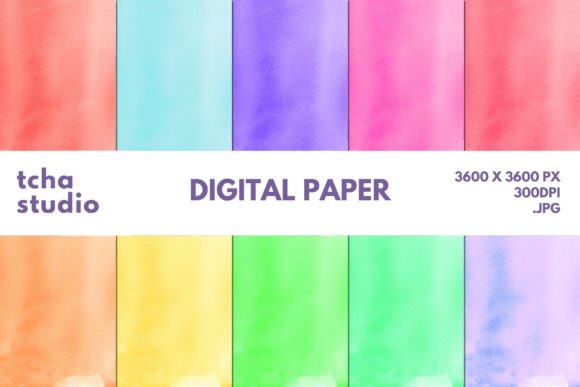
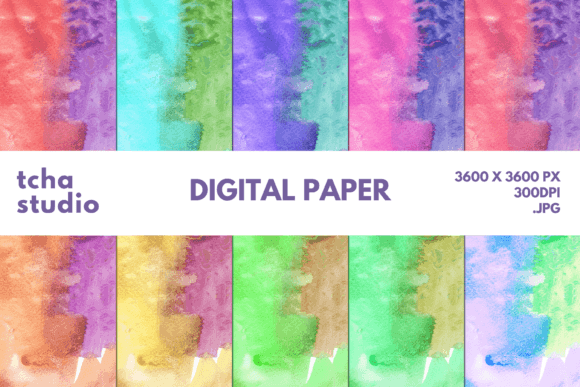
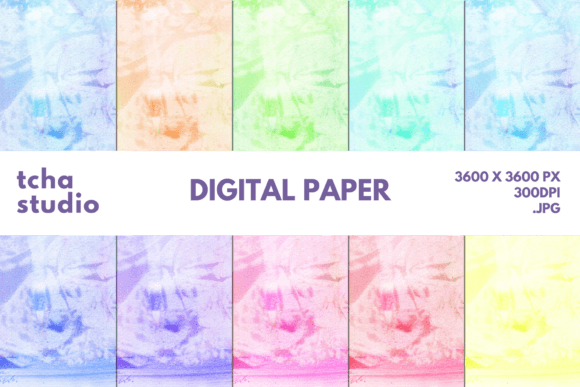
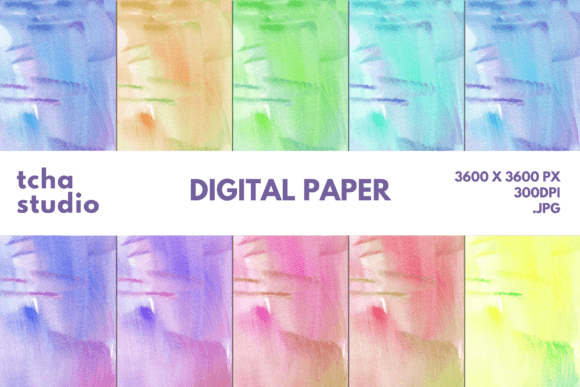
Whether you're designing promotional materials, personalizing products, or creating digital assets, the right background can make all the difference. Watercolor Background Digital Papers 31 offer a collection of 10 high-resolution JPG files, each measuring 3600×3600 pixels at 300 DPI. This ensures crisp, clear details whether you're printing on large formats or using them for digital displays.
Where Can You Use Watercolor Background Digital Papers 31?
The applications for Watercolor Background Digital Papers 31 are vast. Their soft, organic feel makes them ideal for a wide range of creative projects. Here’s a look at some of the most popular uses:
- T-Shirts and Apparel: Add a unique flair to custom t-shirts, hoodies, and other clothing items with these backgrounds. They pair well with both minimalist and bold designs.
- Stickers and Labels: Use them as a base for stickers, labels, or tags that need a subtle yet eye-catching appearance.
- Mugs and Drinkware: Personalize mugs, tumblers, and cups with a design that feels warm and inviting.
- Pillows and Home Decor: Create home decor items like pillows, wall art, or throw blankets with a touch of nature-inspired beauty.
- Blankets and Textiles: Use them to design cozy blankets or quilts that reflect an artistic aesthetic.
- Book Covers and E-books: Enhance book covers with a soft, elegant background that complements your content.
- Phone Cases and Accessories: Give phone cases and other tech accessories a personalized look that stands out from the crowd.
- Sublimation Projects: These digital papers are perfect for sublimation printing, allowing you to transfer intricate designs onto various surfaces.
- Social Media Graphics: Boost your online presence with visually appealing graphics that catch attention and encourage engagement.
- Printables and Invitations: Create beautiful printables, wedding invitations, or event flyers that leave a lasting impression.
- Business Cards and Packaging: Elevate your brand's professionalism with business cards and product packaging that reflect creativity and care.
Why Choose Watercolor Background Digital Papers 31?
When choosing a digital paper, several factors come into play. Watercolor Background Digital Papers 31 excel in multiple areas that matter to designers and creators alike:
- High-Quality Resolution: With a resolution of 3600×3600 pixels at 300 DPI, these files are optimized for both print and digital use. This ensures clarity and sharpness even when scaled up.
- Versatility: The ability to use them across so many different mediums and industries makes these digital papers a valuable addition to any designer's toolkit.
- Artistic Appeal: The watercolor effect adds a sense of warmth and authenticity that is hard to replicate with other types of digital textures.
- Time-Saving: Instead of creating your own watercolor backgrounds from scratch, you can quickly access ready-to-use files that fit your project needs.
- Professional Results: Whether you're a professional designer or a hobbyist, using Watercolor Background Digital Papers 31 helps achieve a polished, professional finish without the need for advanced skills.
How to Incorporate These Digital Papers Into Your Workflow
Integrating Watercolor Background Digital Papers 31 into your workflow is straightforward. Here are some tips for getting the most out of them:
Start by selecting the right file for your project. Each of the 10 files has its own unique color palette and pattern, so choose one that complements your design. For example, if you're working on a nature-themed project, pick a file with muted greens and blues.
Next, import the selected digital paper into your design software. Most graphic design tools, such as Adobe Photoshop or Illustrator, allow you to easily place and adjust the background. Make sure to set the layer blending mode appropriately to ensure the background doesn't overpower your main design elements.
If you're using these papers for sublimation or print-on-demand services, double-check the specifications required by the service provider. Ensure that the resolution and file format meet their standards to avoid any issues during production.
Finally, test your design on different mediums before finalizing it. Print a sample or view it on a screen to see how the watercolor effect looks in real life. This step helps you identify any adjustments needed before mass production.
Considerations Before Using Watercolor Background Digital Papers 31
While Watercolor Background Digital Papers 31 offer numerous benefits, there are a few things to consider before using them:
First, think about the overall design concept. Watercolor backgrounds work best with simpler, more minimalistic designs. If your main elements are too busy, the background might become a distraction rather than an enhancement.
Second, be mindful of color contrast. Some watercolor patterns have lighter tones, which may not show up well against light-colored text or images. In such cases, consider adjusting the opacity or adding a subtle overlay to ensure readability.
Lastly, always check the licensing terms associated with the digital papers. Make sure you're allowed to use them for your intended purpose, especially if you're selling products or using them commercially.
Final Thoughts on Watercolor Background Digital Papers 31
Watercolor Background Digital Papers 31 are more than just a design element—they’re a creative tool that can transform your projects. Their high quality, versatility, and artistic appeal make them a must-have for anyone looking to add a touch of elegance to their work.
Whether you're designing for personal use or commercial purposes, these digital papers offer a reliable and attractive solution. By incorporating them into your workflow, you can create stunning visuals that stand out and resonate with your audience.